
AI Max for Search: Why It Failed in Our Lead-Gen Accounts (and the Guardrails We Use Now)
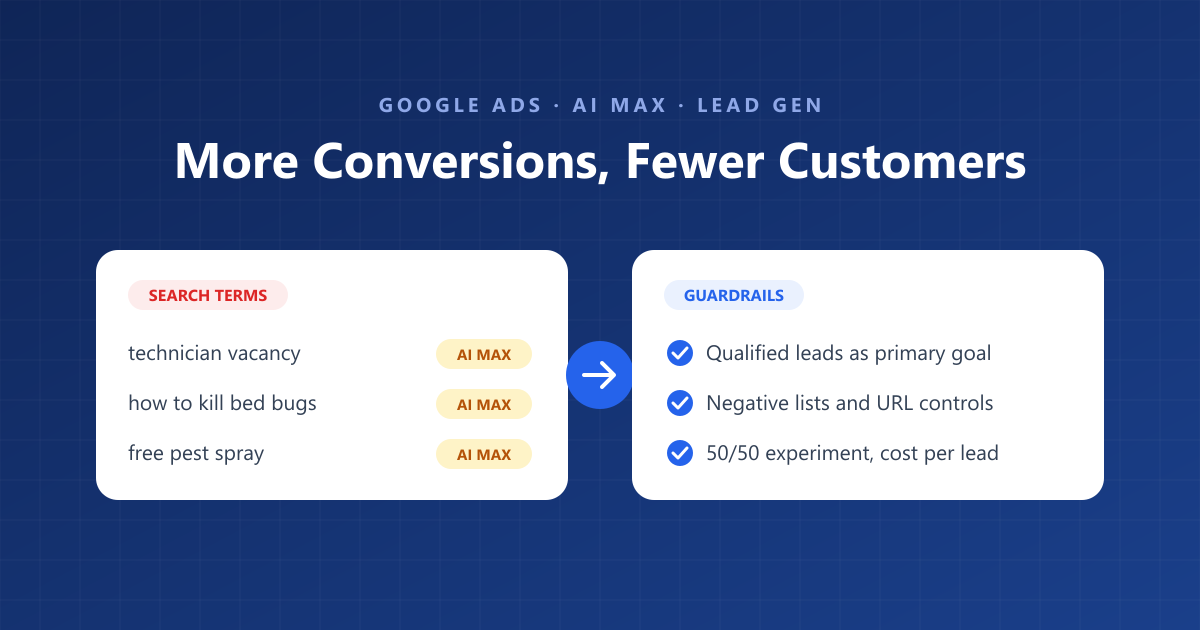
Google says AI Max for Search typically delivers 14% more conversions at a similar cost. In some of the lead-generation accounts we manage, switching it on did deliver more conversions — but not more customers.
The extra “conversions” came from searches nobody would have bid on by hand: people looking for jobs, DIY fixes, competitors and services the business doesn’t offer. The dashboard looked healthier. The sales team’s phones told a different story.
This isn’t an argument against AI Max. It’s what we learned when it went wrong, why lead-gen accounts are especially exposed, and the guardrails we now put in place before we let it anywhere near a client’s budget.
Quick answer: AI Max for Search often fails in lead-gen accounts because it optimises toward whatever Google counts as a conversion — usually a form fill, call or WhatsApp click — not a qualified lead. Broader query matching then finds cheap, low-intent enquiries that inflate conversions while sales fall. Before testing it, import qualified or closed leads as your primary conversion, build strong negative keyword lists, use brand and URL controls, run it as a 50/50 experiment, and judge it on cost per qualified lead, not cost per conversion.
What is AI Max for Search, and what does it change?
AI Max is a one-click setting inside a standard Search campaign that lets Google go beyond your keywords, rewrite your ad text and choose your landing page. It is not a separate campaign type. According to Google’s AI Max documentation, it bundles three features:
| Feature | What it does | Where it’s controlled |
|---|---|---|
| Search term matching | Expands beyond your keywords using broad match and keywordless technology | Campaign, with an on/off per ad group |
| Text customization | Generates headlines and descriptions from your ads, landing pages and assets | Campaign |
| Final URL expansion | Sends traffic to whichever page on your site Google thinks fits the query | Campaign (needs text customization on) |
Three details matter for lead gen:
- It needs conversion-based Smart Bidding. Google’s setup guide says the features “require conversion-based Smart Bidding strategies in order to function effectively”. So AI Max is only as good as the conversion you tell Google to chase.
- New Search campaigns have it switched on by default. If you build a campaign without checking, it may already be running.
- Reporting shows “AI Max” as a match type. The search terms report labels AI Max queries and shows whether each came from broad match expansion or keywordless matching. That label is your best friend when diagnosing problems.
What went wrong when we switched on AI Max?
The pattern was the same each time: conversions went up, search term relevance went down, and clients reported more time-wasting leads. Here is what we saw in local service and lead-gen accounts, anonymised.
- Irrelevant queries matched as “AI Max”. Job searches (“pest control technician vacancy”), DIY queries (“how to kill bed bugs at home”), product searches and services the client didn’t offer. Many had no close link to any keyword in the account.
- Cheap, easy conversions crowded out good ones. Because bidding was set to maximise conversions, Google found the lowest-cost enquiries — accidental WhatsApp taps, students, price shoppers — and the reported cost per conversion fell.
- Landing pages we didn’t choose. Final URL expansion sent some clicks to blog posts and careers pages instead of the service page with the enquiry form.
- Ad text that drifted from the brief. Text customization pulled phrases from old pages and promotions, including claims the client no longer wanted in ads.
- The client noticed before the dashboard did. In each case, the first warning was the business owner saying the leads had got worse, not anything in the Google Ads interface.
The common thread: AI Max did exactly what we asked. We had asked for the wrong thing.
Why does AI Max struggle with lead generation in particular?
In ecommerce, Google sees the sale and its value. In lead gen, it usually sees only the enquiry — so it optimises for enquiries, good or bad.
Most of the positive AI Max results published so far come from ecommerce. One 30-day test reported by Search Engine Land saw a strong return in a retail account, but the author advised using AI Max for lead gen only when qualified or closed-lead data is passed back through offline conversion imports. An independent analysis covered by PPC Land of about 30,000 AI Max search terms found that 99% of impressions had zero conversions.
Four things make lead gen fragile:
- The conversion signal is weak. A form fill, call or WhatsApp click says nothing about whether the person can afford the service or is even in the right city.
- Volumes are low. Many local service accounts get 30–100 leads a month. That is not much data for an algorithm to learn which queries produce customers.
- Bad leads cost twice. You pay for the click, then your sales team spends time on the call.
- Feedback is slow. Lead quality shows up days or weeks later, when the client reviews who booked. By then the budget is spent.
If you would not trust Smart Bidding with broad match in an account, you should not trust AI Max there either. It is a more aggressive version of the same idea.
What guardrails should you set before using AI Max?
Fix the conversion signal first, then fence in the traffic, the landing pages and the ad text. These are the guardrails we now require before AI Max goes live in any lead-gen account.
| Guardrail | Why it matters | How we set it |
|---|---|---|
| Qualified-lead conversion goal | AI Max chases whatever you call a conversion | Import qualified or booked leads via offline conversion import; make that primary, raw enquiries secondary |
| Negative keyword lists | Blocks jobs, DIY, free, cheap and wrong-service queries | Shared lists on every campaign, English and Arabic; reviewed weekly |
| Brand exclusions | Stops paying for competitor and own-brand searches inside a generic campaign | Campaign-level brand exclusions; keep brand in its own campaign |
| URL inclusions and exclusions | Keeps traffic off blogs, careers and old promo pages | URL exclusions at campaign level; URL inclusions per ad group for service pages only |
| Text guidelines | Stops generated copy using claims or phrases you don’t want | Add term exclusions and messaging restrictions; review generated assets |
| Search term matching per ad group | Lets you keep it off where intent is narrow | Turn it off for ad groups with tight, high-value keywords |
| Location setting | Lead gen depends on service area | Target people “in or regularly in” your locations, not “interested in” |
| Spend and lead-quality alerts | Problems show up in sales before the dashboard | Daily search term review in week one; weekly lead-quality check with the client |
Two rules sit above the table. First, fix tracking before optimising: if form fills, calls and WhatsApp clicks are counted loosely, AI Max will scale the noise. Second, every change to a live client account goes in the change log, so you can see exactly when AI Max went on and what followed.
When is AI Max worth testing in a lead-gen account?
Only when Google can see lead quality, the account has steady conversion volume, and the client will tell you which leads became customers.
We test AI Max when all of these are true:
- ☐ Qualified or booked leads are imported and set as the primary conversion
- ☐ The campaign has a stable history of at least 30 qualified conversions a month
- ☐ Tracking for calls, forms and WhatsApp has been checked and de-duplicated
- ☐ The client shares lead outcomes at least weekly
- ☐ Negative keyword lists, brand exclusions and URL controls are in place
We skip it for new accounts, small daily budgets in high-CPC niches, and any account where the client cannot report on lead outcomes.
How we run the test
- Use Google’s built-in AI Max experiment. AI Max experiments split one existing Search campaign into a control arm with AI Max off and a trial arm with AI Max on. We use a 50/50 split.
- Start narrow. Test search term matching first, with text customization and final URL expansion off, so you know which feature caused what.
- Run long enough to see lead outcomes. At least four to six weeks, so the client has time to report which leads booked.
- Read the AI Max search terms. Filter the search terms report by the AI Max match type and add new negatives every few days.
- Judge on cost per qualified lead. Not conversions, not CTR. If the trial arm wins on reported conversions but loses on qualified leads, it lost.
How is AI Max different from Performance Max and broad match?
Broad match widens your keywords, AI Max widens your keywords, ad text and landing pages inside Search, and Performance Max goes across every Google channel. Each step gives Google more control and you less.
| Broad match + Smart Bidding | AI Max for Search | Performance Max | |
|---|---|---|---|
| Channels | Search | Search | Search, YouTube, Display, Discover, Gmail, Maps |
| Who picks the query | Your keywords, loosely matched | Your keywords plus keywordless matching | Google, guided by your assets and signals |
| Who writes the ad | You (RSAs) | You plus generated text | Google assembles from your assets |
| Who picks the landing page | You | You or Google (final URL expansion) | You or Google |
| Search terms visibility | Full | Full, labelled “AI Max” | Partial |
| Risk for lead gen | Medium | Medium to high | High |
For most lead-gen accounts we work in that order: tighten phrase and exact match first, add broad match once qualified-lead tracking is solid, then test AI Max, and use Performance Max last and with care. If an account is already getting clicks but few real enquiries, work through our clicks-but-no-leads diagnostic before testing any of them.
Can PPCPartner check whether AI Max is hurting your lead quality?
PPCPartner is a Google Partner agency focused on lead generation. We’ll review your AI Max search terms, landing pages and conversion setup, and show you where budget is going to low-intent queries, plus the three to five fixes that matter most. Request a free Google Ads audit.
Frequently asked questions
Is AI Max good for lead generation?
It can be, but only when Google can see lead quality. If your primary conversion is a raw form fill, call or WhatsApp click, AI Max tends to find more cheap, low-intent enquiries. Import qualified leads first.
Is AI Max turned on by default?
Google’s setup guide says new Search campaigns have AI Max turned on by default. Check the campaign settings on any new build.
Can I use AI Max without broad match expansion?
Yes. Search term matching can be turned off per ad group, and text customization and final URL expansion can be switched off at campaign level.
Do negative keywords work with AI Max?
Keep using them. Our experience is that strong shared negative lists are the single most important guardrail. Review AI Max search terms every few days in the first month.
How long should an AI Max test run?
For lead gen, at least four to six weeks, long enough for the client to report which leads became customers.
Should I switch AI Max off if leads get worse?
Check the AI Max search terms and landing pages first. If the trial arm is not beating the control on cost per qualified lead, switch it off or narrow it to fewer ad groups.
Google Ads specialist at PPCPartner