
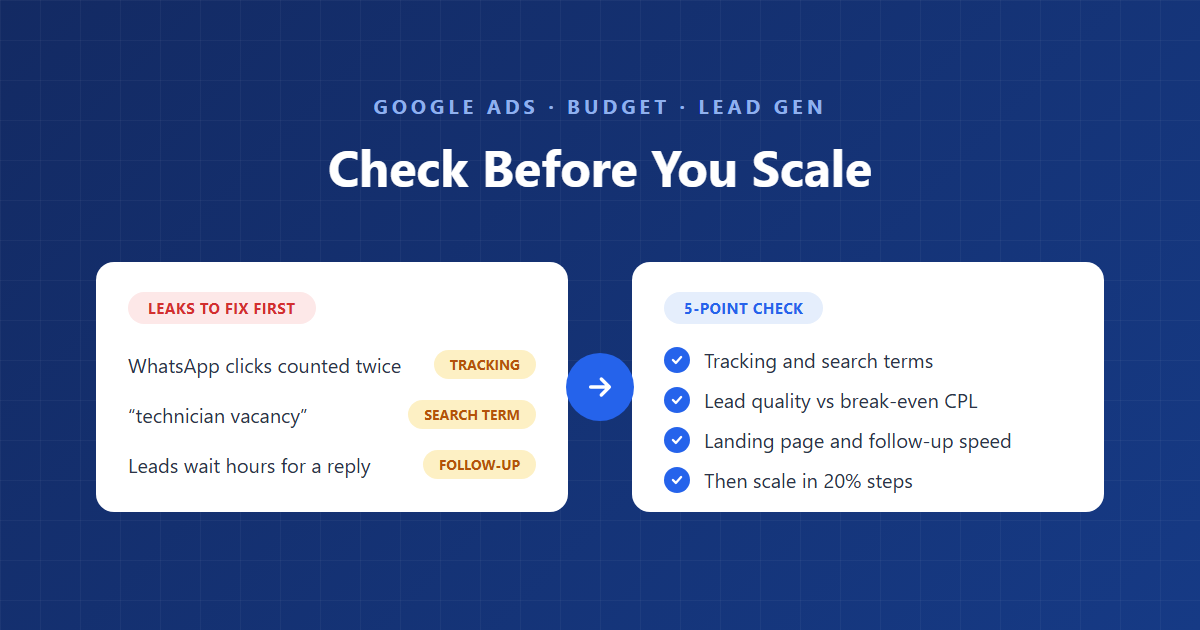
“The ads are working — let’s double the budget.” It’s the most common request we get from business owners and partner agencies, and often the riskiest. More budget doesn’t fix a leaky account. It makes the leak bigger.
Before we approve any budget increase in an account we manage, we run the same five checks. They take under an hour, and they’ve stopped clients from scaling broken tracking, junk search terms and leads nobody was calling back.
Quick answer: Before you increase your Google Ads budget, check five things: (1) conversion tracking is accurate and not double-counting calls, forms or WhatsApp clicks; (2) search terms are relevant, with junk blocked by negative keywords; (3) the client confirms enough leads are turning into customers; (4) the landing page converts well on mobile; and (5) the team replies to new leads within minutes. If all five pass, raise the budget in steps of about 20% and judge it on cost per qualified lead, not cost per conversion.
Check 1: Is your conversion tracking accurate?
If tracking is wrong, every number you use to justify more budget is wrong too — so check it first. Smart Bidding spends extra budget chasing whatever you count as a conversion. Count the wrong thing and it will find more of it.
What to check:
- No double counting. A WhatsApp click and a “conversation started” event can both fire for the same person. A call from an ad and a click on the phone number can also overlap. Pick one action per lead as primary.
- Only real leads are primary. Page views, scrolls and button clicks should be secondary. Google uses only primary conversion actions for bidding.
- Calls have a minimum duration. A 5-second call is not a lead. Set a sensible threshold, such as 60 seconds.
- Forms fire on success, not on click. Test a submission and confirm one conversion is recorded.
- Google Ads matches your CRM or lead sheet. Compare last month’s conversions with the leads the client actually received. A gap of more than 20–30% needs fixing before you scale.
In one pest control account we audited, most reported conversions were WhatsApp-related, and two separate WhatsApp actions were both counting toward bidding. The cost per conversion looked excellent. The real cost per lead was much higher. Our conversion tracking guide and WhatsApp tracking setup cover the fixes.
Check 2: Are your search terms relevant?
More budget lets Google show your ads on more searches, so the junk you tolerate today will grow tomorrow. Open the search terms report for the last 30–90 days and sort by cost.
What to look for:
| Junk type | Examples | Fix |
|---|---|---|
| Job seekers | “technician vacancy”, “salary”, “hiring” | Add job negatives to a shared list |
| DIY and products | “spray”, “powder”, “how to”, “buy” | Block product and how-to terms |
| Competitors | Other companies’ brand names | Decide deliberately; usually exclude |
| Wrong location | Cities or areas you don’t serve | Tighten location settings and add place-name negatives |
| Public bodies | “municipality”, “government”, “complaint” | Exclude |
| Other languages | Queries you can’t serve in that language | Exclude or set up a separate campaign |
A simple rule: if more than 20% of spend is going to search terms you would never bid on by hand, clean the account before adding a single dirham, rupee or pound. Use shared negative keyword lists and remember that negative keywords don’t match close variants or synonyms, so add plurals and synonyms yourself.
If you use broad match, AI Max or Performance Max, check this even more closely. Each one widens the net.
Check 3: Are the leads good enough to scale?
A budget increase only makes sense if enough of today’s leads are turning into paying customers. Google Ads can’t tell you this. The client’s sales team can.
Ask the client three questions:
- Of last month’s leads, how many became customers? That’s your close rate.
- What’s an average job or sale worth? That’s your lead value.
- What share of leads were junk? Wrong area, wrong service, price-only shoppers or no answer.
Then compare your cost per lead with what you can afford. Our break-even CPL formula does the maths: if your current cost per lead is well below break-even and the close rate is steady, there’s room to scale. If cost per lead is already near break-even, more budget will usually push it over, because the extra clicks are rarely as good as the first ones.
The best long-term fix is to send closed leads back to Google with an offline conversion import, so bidding learns which searches produce customers, not just enquiries.
Check 4: Can your landing page convert more traffic?
If the page converts poorly now, extra budget just buys more people who leave without enquiring. Fixing the page is usually the cheapest way to get more leads from the same spend.
What to check:
- Conversion rate. Compare the page’s conversion rate with the account’s history. A sudden drop often means a broken form, a slow page or a changed offer.
- Mobile first. Most local service searches happen on phones. Open the page on your own phone: does it load in about three seconds, and is the call or WhatsApp button visible without scrolling?
- Message match. The headline should repeat what the person searched for and what the ad promised — “Bed Bug Treatment in Dubai”, not a generic homepage.
- One clear action. One main call to action, a short form, and trust proof (licence, reviews, guarantee) near the top.
- Every path works. Test the form, the call button and the WhatsApp link yourself before every budget increase.
Separate pages per service and per city usually lift relevance and conversion rate, especially in markets like the UAE where customers expect a local provider.
Check 5: How fast does the team follow up on leads?
A lead that waits hours for a reply usually books with someone else, so slow follow-up wastes extra budget faster than anything in the ad account. This is the check most agencies skip, because it sits outside Google Ads.
Research published in Harvard Business Review, “The Short Life of Online Sales Leads” (Oldroyd, McElheran and Elkington, 2011), found that most companies are not responding to online leads nearly fast enough. In local services, we see the same thing: customers message three or four companies and book whoever answers first.
How to check it:
- Mystery-shop the business. Submit a form, send a WhatsApp message and call during working hours. Time each reply.
- Check missed calls. Ask for the call log, or use call reporting in Google Ads to spot unanswered calls.
- Check out-of-hours handling. Evening and weekend leads often wait until the next day. Use ad scheduling or an auto-reply if nobody can respond.
- Ask who owns the leads. If nobody is clearly responsible, more leads will mean more missed leads.
Our rule of thumb: aim to reply within five minutes during working hours. If the team can’t handle the current volume, more budget will make results worse, not better.
How do you score the 5-point check?
Scale only when all five checks pass; if any one fails, fix it first, because a budget increase will magnify the problem.
| Check | Pass | Fail — fix before scaling |
|---|---|---|
| 1. Tracking | Google Ads leads match CRM within 20–30%; one primary action per lead | Double counting, non-lead actions counted, no call duration threshold |
| 2. Search terms | Under 20% of spend on irrelevant terms | Jobs, DIY, competitors or wrong areas taking budget |
| 3. Lead quality | CPL well below break-even; steady close rate | Client says leads are poor, or CPL near break-even |
| 4. Landing page | Stable conversion rate, fast on mobile, all paths tested | Slow page, broken form or button, generic homepage |
| 5. Follow-up | Replies within minutes; missed calls followed up | Hours-long replies, missed calls, no owner for leads |
How much should you increase a Google Ads budget?
Once all five checks pass, raise the budget in steps of about 20% and wait one to two weeks between steps. Big jumps can unsettle Smart Bidding and make it hard to tell what caused a change.
- Increase by around 20% on the campaigns with the best cost per qualified lead.
- Watch search terms closely for the first week, because new budget often unlocks new queries.
- Track cost per qualified lead, not just cost per conversion. Ask the client for lead outcomes weekly.
- Check impression share lost to budget. If it’s low, more budget won’t buy much more traffic; look at bids, ad rank or new keywords instead.
- Log the change with the date and amount, so you can compare before and after.
If cost per qualified lead stays near your target after two weeks, repeat. If it rises sharply, roll back and run the five checks again.
Can PPCPartner run the 5-point check on your account?
PPCPartner is a Google Partner agency focused on lead generation. Before you raise your budget, we’ll review your tracking, search terms, landing pages and lead flow, and tell you whether you’re ready to scale — plus the three to five fixes that matter most if you’re not. Request a free Google Ads audit.
Frequently asked questions
When should I increase my Google Ads budget?
When tracking is accurate, search terms are clean, leads are turning into customers at a cost below break-even, the landing page converts well and the team follows up quickly. If any of these fail, fix it first.
How much should I increase my Google Ads budget at a time?
Around 20% at a time, with one to two weeks between increases. This gives Smart Bidding time to adjust and lets you see the effect of each step.
Why did my cost per lead go up after I increased the budget?
Extra budget buys extra clicks, and those are often less relevant or more expensive than the first ones. Check search terms, impression share and lead quality, and roll back if cost per qualified lead rises sharply.
Will a bigger budget fix a campaign that isn’t getting leads?
Rarely. If a campaign gets clicks but no leads, the problem is usually tracking, search terms, the landing page or the offer. Work through our clicks-but-no-leads diagnostic first.
How do I know if my leads are good enough to scale?
Ask the client how many of last month’s leads became customers and what each was worth, then compare your cost per lead with your break-even cost per lead.
Does follow-up speed really affect Google Ads results?
Yes. Google Ads can deliver the lead, but the sale depends on who answers first. Slow replies make good leads look bad and waste budget.
Google Ads specialist at PPCPartner